Right inside your app
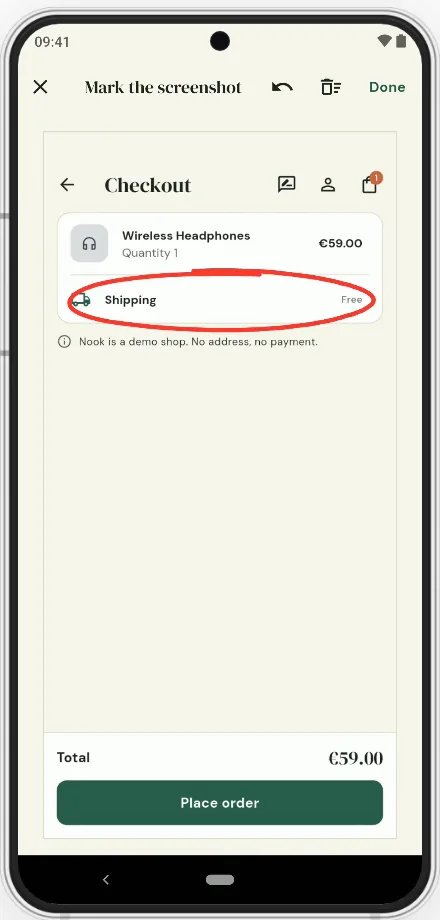
A sheet with a screenshot to mark up. Sensitive fields are masked before upload.
Feedback
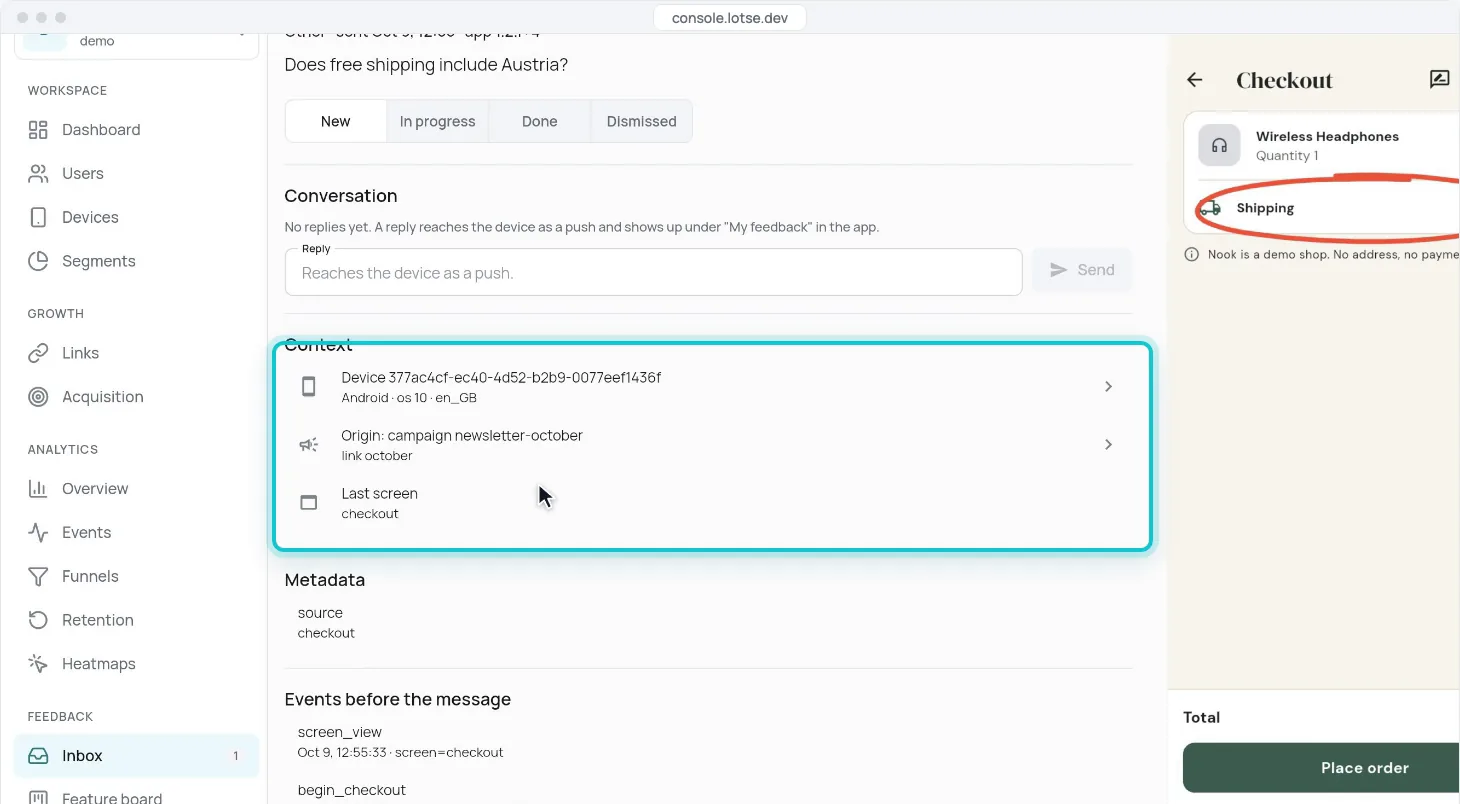
Users circle the problem in a screenshot. You see it with device, campaign and the events right before.
Why Lotse feedback
A sheet with a screenshot to mark up. Sensitive fields are masked before upload.
App version, device, origin campaign and the last screens come with every message.
Reply in the app, or tell everyone who reported it with one push.
From complaint to cause
A screenshot with a circle around “Shipping”.
Device, app version and the campaign that brought the user.
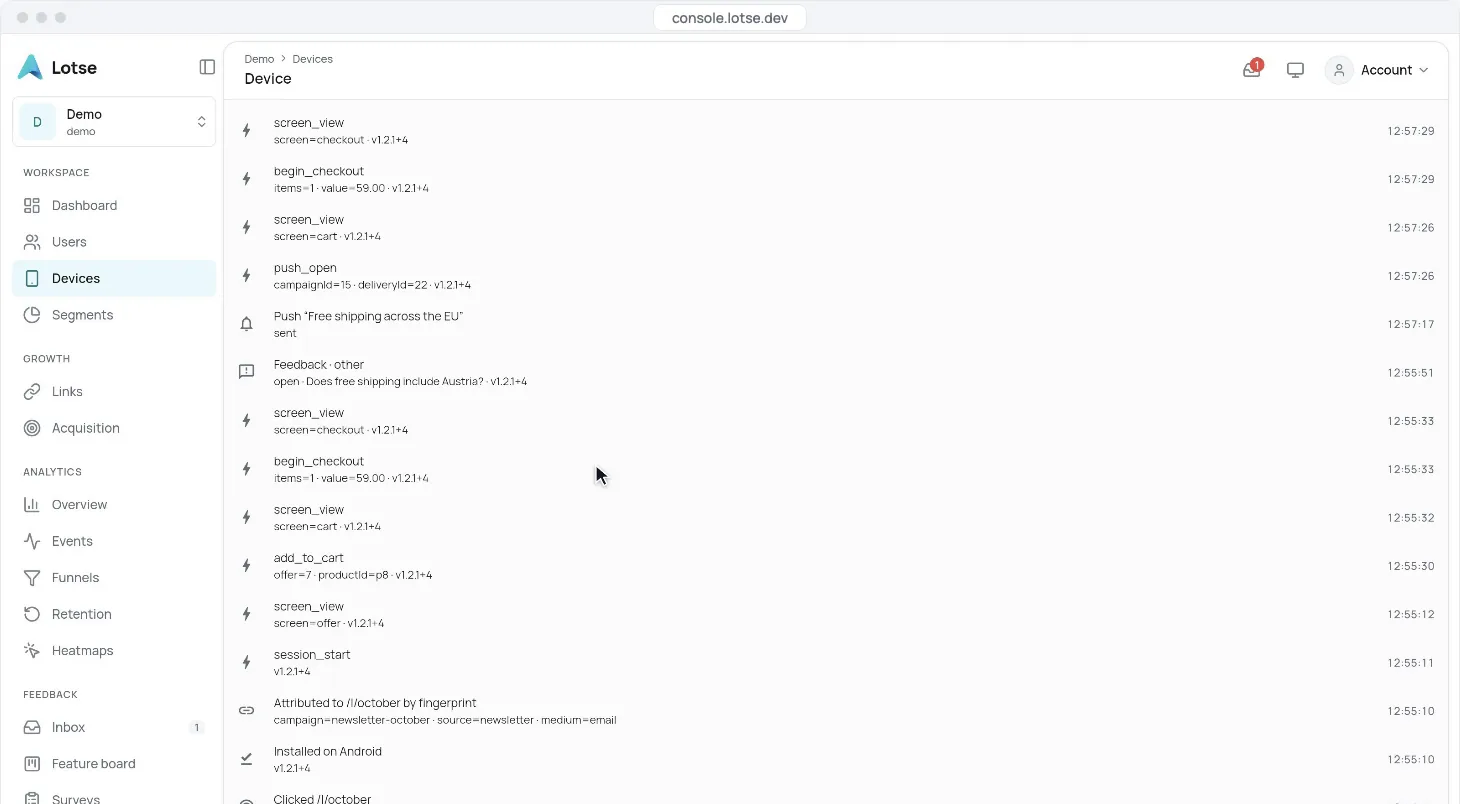
cart → begin_checkout → feedback. No purchase.
One push to everyone who asked — straight back to the cart.
More ways to listen
Compared
Feedback tools collect messages. Lotse connects them to the user, the campaign and the push that answers them.
| Lotse | Wiredash | |
|---|---|---|
| In-app feedback | yes | yes |
| One segment across all of it | yes | no |
| EU data residency | yes | yes |
| Native to Serverpod | yes | no |
In each single discipline the specialist goes deeper. The value of Lotse is in the transitions.
For developers
// e.g. from a "Send feedback" button
Lotse.instance.showFeedback(context);
Yes, and mark it up. Sensitive fields are masked before upload.
Yes — in a conversation in the app, or as a push to everyone in a segment.
Yes. Users suggest and vote on ideas inside your app, and you set the status.
Feedback
Add the sheet with one line — the first message arrives with context.